
About the Baldwin County Clerk's Office
The official Baldwin County page names Wanda Paul as Clerk of Superior Court. Baldwin County uses a unified local court-records clerk for Superior Court, State Court, and Juvenile Court records. That matters when a search involves a felony case, divorce, State Court misdemeanor, traffic matter, or juvenile case because the first records question usually goes through this clerk rather than a separate county recorder.
The Clerk page lists Court Records, Deed and Plat Records online search, Notary Public, Passports, Trade Names, Armed Force Discharges, Traffic Fine Collection, Jury Management, and Board of Equalization application. The GSCCCA Baldwin County clerk profile also identifies statewide fee schedule access, recorder of deeds service, notaries public, passports, trade names, armed forces discharges, and traffic fine collection. For public users, the practical distinction is simple: court cases use the Baldwin Tyler court case portal; deeds and plats use the Tyler real estate portal; certified court and real estate records can also route through GSCCCA eCertification when the document type is supported.
Clerk of Superior Court
Clerk: Wanda Paul
Baldwin County Courthouse
121 N. Wilkinson Street
Milledgeville, GA 31061
478-445-6324
wpaul@baldwincountyga.com
Traffic fine payments in person: 8:45 a.m. to 4:45 p.m., Monday through Friday, excluding holidays
The official Baldwin County Clerk of Superior Court page shows the clerk contact block, services list, court-record links, traffic citation notes, and eCertification route.
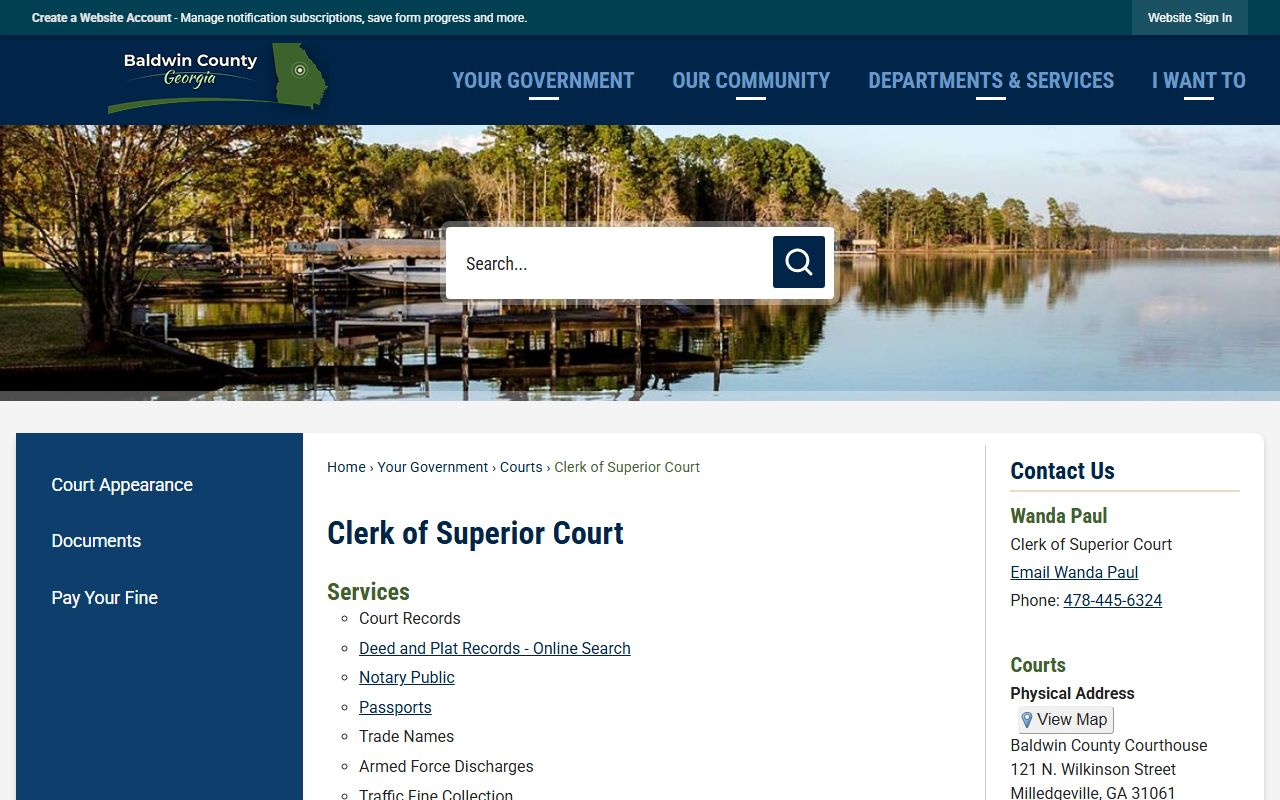
Use that county page as the routing page before choosing Tyler case search, deed and plat search, GSCCCA eCertification, or the State Court traffic payment instructions.
What the Clerk Does in Baldwin County
The Clerk of Superior Court keeps and supports records for several different court functions. Superior Court records include felony criminal cases, divorce cases, major civil cases, equity matters, land title matters, and appeals from lower courts where allowed. State Court records include misdemeanor, traffic, and civil matters assigned to that court. Juvenile Court records involve minors cited or arrested for alleged law violations, unruly or truancy matters, and dependency matters, but those records are not ordinary adult public files and may be restricted by Georgia juvenile law.
- Maintain court records for Superior Court, State Court, and Juvenile Court matters handled through the Baldwin County courthouse.
- Provide the official online case search route for Baldwin County Clerk of Superior Courts civil and criminal records through Tyler.
- Separate court case searching from deed and plat searching, which uses a different Tyler real estate portal.
- Support traffic fine collection and State Court citation processing through online, in-person, mail, and phone payment channels.
- Direct certified court and real estate record requests to GSCCCA eCertification when electronic certification is available.
The Tyler court case search login is the civil and criminal case entry point linked by the clerk.
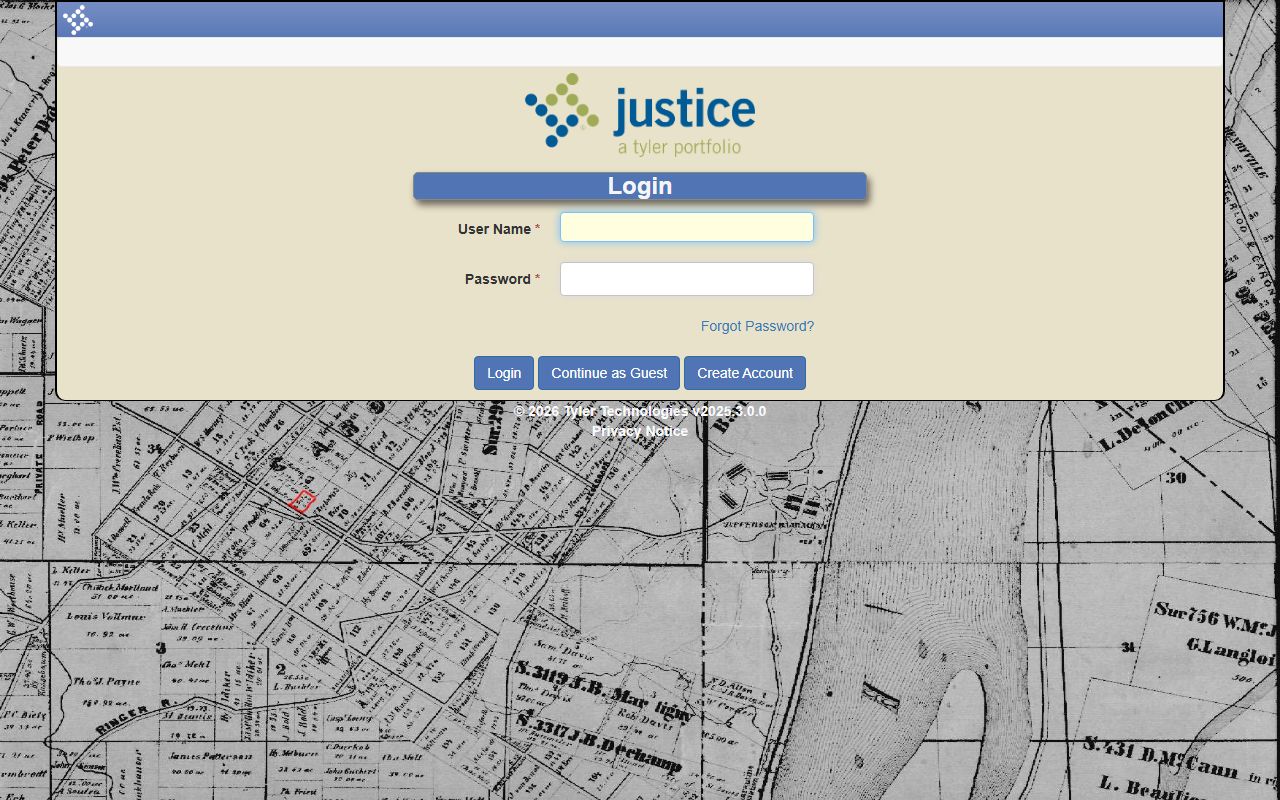
The login screen matters because public users can choose account login, create an account, or continue as a guest instead of assuming every search requires a registered account.
How to Request a Certified Copy
A certified copy is the copy usually needed when a court document must prove an official filing, order, judgment, decree, or recorded real estate document. Baldwin County research identifies two practical certification routes. One route is direct clerk contact at the courthouse for case files, older records, records not indexed online, or documents that require staff review. The other route is GSCCCA eCertification, which the Clerk page describes as a way to electronically request certified Court and Real Estate Records 24 hours a day, 365 days a year.
- Identify the court or record family first: Superior, State, Juvenile, deed, plat, or another courthouse office such as Probate or Magistrate.
- Search the Tyler court case portal by party or case number if the file is a civil or criminal court case and the docket is public.
- Use the Tyler real estate search only for deeds and plats, not for criminal, civil, divorce, juvenile, or traffic case files.
- For an electronic certified document request, register for or sign in to the GSCCCA eCertification portal and follow the prompts for a participating county request.
- For a counter request, contact the Clerk of Superior Court at 478-445-6324 and provide the case number, party names, document type, copy quantity, and whether certification is needed.
- If the record may be sealed, juvenile, restricted, or not digitized, ask the clerk what proof, court order, or in-person review is required before a copy can be released.
The GSCCCA eCertification portal is the electronic certification route named by the Baldwin County Clerk page.
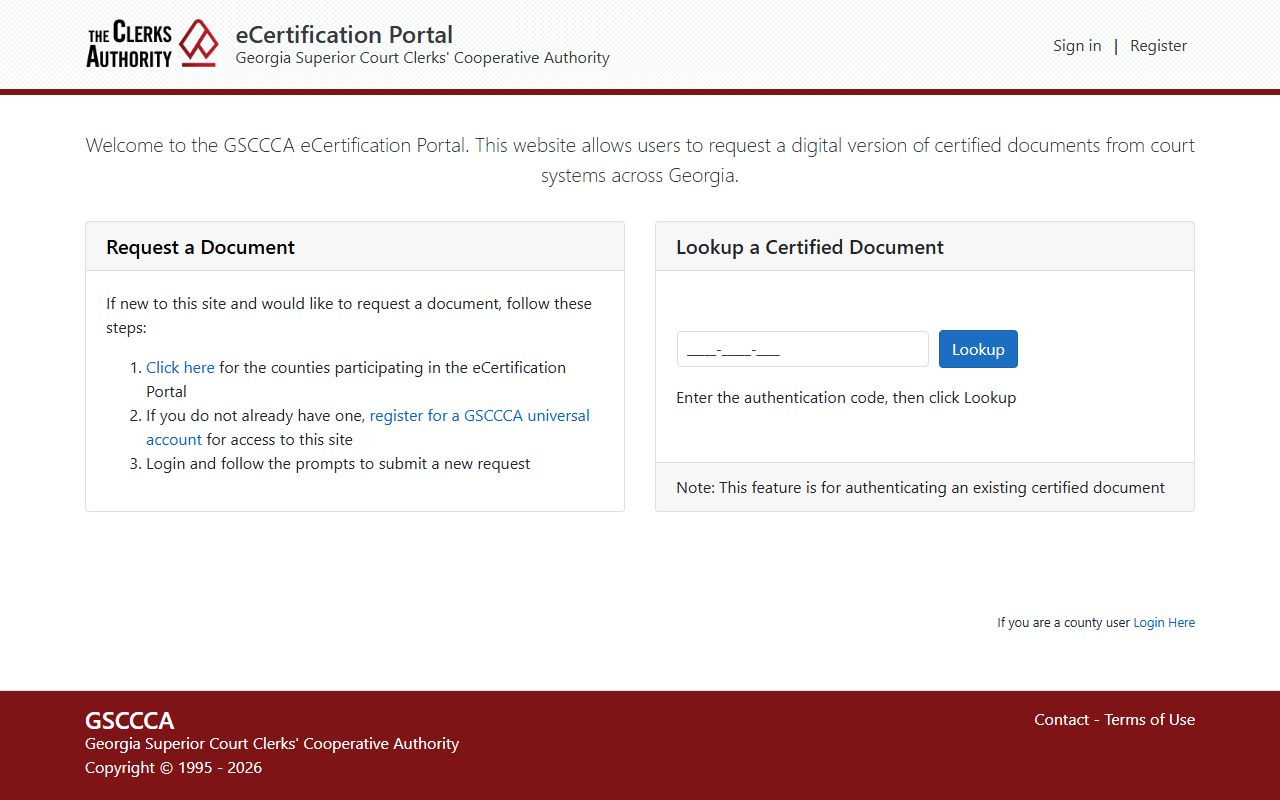
GSCCCA separates new document requests, which require registration and login, from the public authentication-code lookup for an existing e-certified document.
Records Request Form Fields
Baldwin County research did not locate a single universal clerk copy-request form for all court records, so the safest request format is built from the visible Tyler search controls, the GSCCCA eCertification fields, and the sheriff open-records fallback when the requested record is a law-enforcement record rather than a court file. A clerk request should give staff enough information to identify the exact case and exact document without relying only on a broad name search.
| Field | Required | Notes |
|---|---|---|
| Case Number | Best if available | Tyler offers Search By Case Number for exact known case numbers. |
| Party Names | Yes if no case number | Tyler guest access includes Search By Party and Search By Associated Party. |
| Court or case type | Yes | State whether the matter is Superior, State, Juvenile, civil, criminal, divorce, traffic, deed, or plat. |
| Document Type | Yes | Examples include complaint, indictment, accusation, order, judgment, decree, deed, plat, or certified disposition. |
| Number of Copies | Yes | Specify plain or certified copies and whether electronic certification is acceptable. |
| Authentication code | Only for e-certified documents | GSCCCA has a public field to look up an existing certified document by authentication code. |
| Requester contact information | Yes for non-counter requests | Use name, email, phone, mailing address, and delivery preference so staff can quote fees or limitations. |
| Law-enforcement identifiers | When relevant | For sheriff records, include incident, citation, accident, subject, victim, date, time, and location fields from the sheriff form. |
The Tyler guest search entry exposes party, associated-party, and case-number search routes for public court case searching.
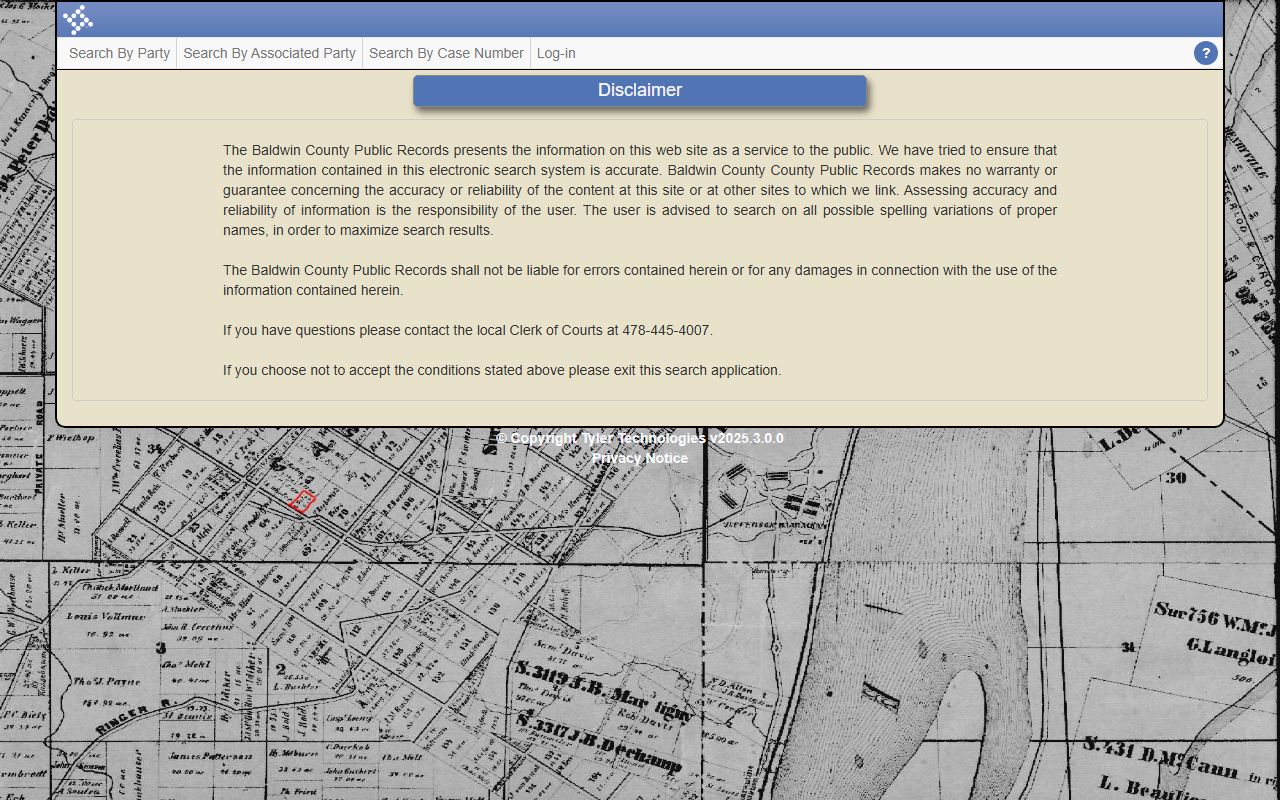
Those guest controls are useful before making a copy request because a case number or exact party match can reduce back-and-forth with the clerk.
Baldwin County Clerk Fees
The official Baldwin County sources inspected did not publish a complete local copy and certification fee table for every clerk transaction. The GSCCCA profile points users to the statewide fee schedule, but the research did not capture itemized Baldwin copy fees from an official local page. The State Court traffic payment routes are documented in detail, so those payment methods can be stated clearly. For certified copies, filings, and counter copy charges, confirm the current amount with the Clerk of Superior Court before mailing payment.
| Item | Amount |
|---|---|
| Plain court copy | Amount not located in official Baldwin sources inspected |
| Certified court copy | Amount not located in official Baldwin sources inspected |
| GSCCCA eCertification request | Portal account required; amount not posted on the Baldwin Clerk page |
| State Court fine payment in person | Cash, money order, or debit card, Visa or Mastercard only |
| State Court fine payment by mail | Cashier's check or money order with a copy of the ticket or ticket number |
| State Court fine payment by phone | Call 478-445-5391 with credit or debit card ready by 4:30 p.m. |
| Filing fee, civil or other clerk filing | Use the clerk or GSCCCA statewide fee schedule before filing |
Traffic fines have four documented routes. The county Pay Your Fine page allows online payment for eligible citations, in-person payment at the Baldwin County Courthouse, 2nd floor, Suite 209, mail payment to State Court of Baldwin County, P.O. Box 987, Milledgeville, GA 31059-0987, and phone payment through the State Court Clerk at 478-445-5391. Mail must use cashier's check or money order. In-person payments are accepted from 8:45 a.m. to 4:45 p.m., Monday through Friday, excluding holidays. The Clerk page warns that tickets not paid before the due date can risk driver's-license suspension and possible bench warrant.
Common Clerk Forms
Baldwin County's clerk materials are organized more as service links than as one downloadable forms library. The source inventory identifies the Clerk of Superior Court page, the State Court appearance page, fine payment instructions, court calendars, the Tyler portals, and GSCCCA eCertification as the most useful clerk-related access points. Use the Rule 22 form route only for courtroom recording or media coverage requests; use the traffic payment page for payment questions; use the Tyler and GSCCCA portals for search and certified-document access.
- Clerk of Superior Court - services, court records, deed and plat records, eCertification, traffic fine collection, calendars, and clerk contact details.
- Court Appearance - traffic and criminal citations that require appearance and the Rule 22 request form link.
- Pay Your Fine - online, in-person, mail, and phone payment instructions for eligible State Court fines.
- 2025 Court Calendars and 2026 Court Calendars - posted calendar routes from the county court pages.
The GSCCCA Baldwin County Clerk profile repeats the clerk's statewide service categories and gives another official route to clerk service information.
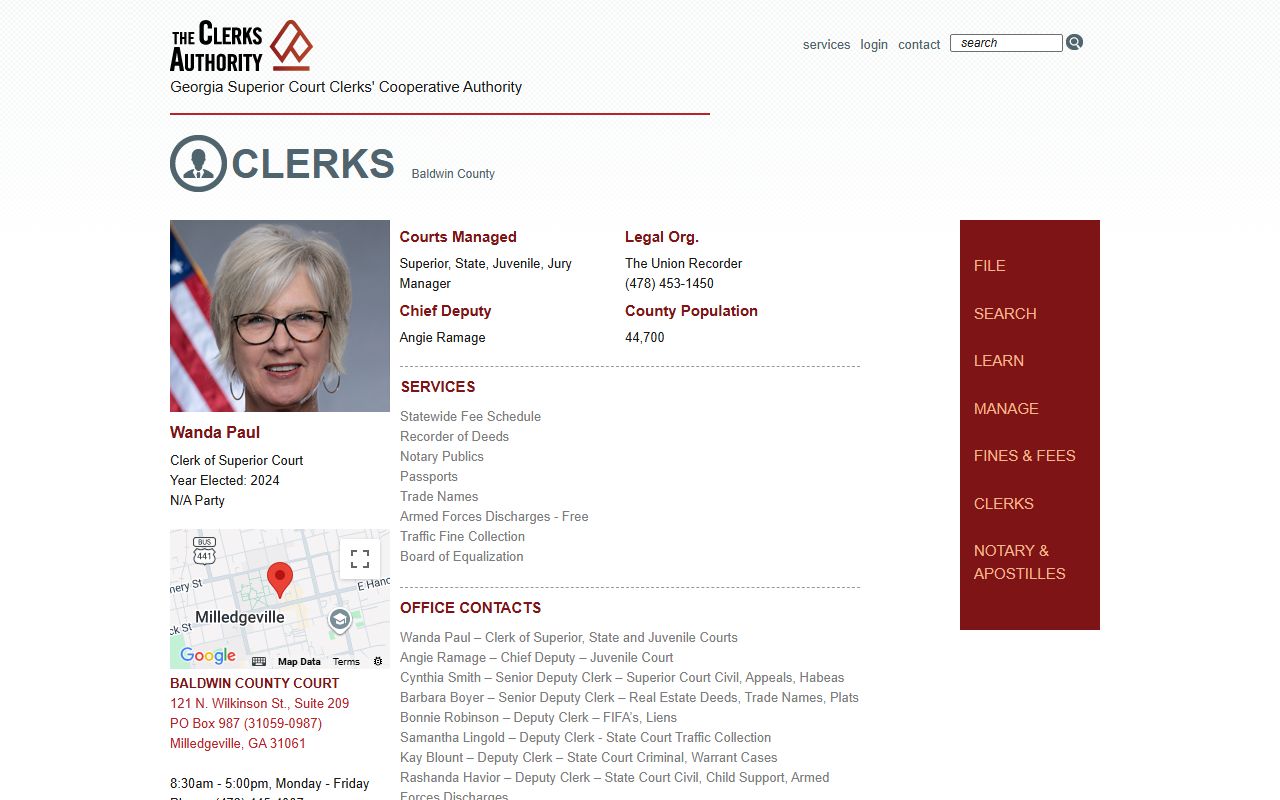
The GSCCCA profile is especially useful when a request involves statewide clerk services such as notary, recorder of deeds, trade names, or fee-schedule confirmation.
Mail and Online Filings
Online access for Baldwin County Clerk records is split across different systems. Civil and criminal court case searching uses Tyler CM Web Search at docket.baldwincoga.com:7355/CourtsCMWS. The login screen has User Name and Password fields for registered users, plus Login, Continue as Guest, Create Account, and Forgot Password options. After a guest enters the search home, the visible routes are Search By Party, Search By Associated Party, and Search By Case Number. Direct requests to deeper search routes may loop without an active browser session, so users should enter through the live guest home.
Deed and plat searching is separate. The clerk's Tyler real estate search has a similar login, Continue as Guest, and Create Account screen, and it displays a fraud alert note telling users to create an account for fraud alerts. That portal should not be described as the public court case search. It is the deed and plat record route, while the court case portal is the civil and criminal case route.
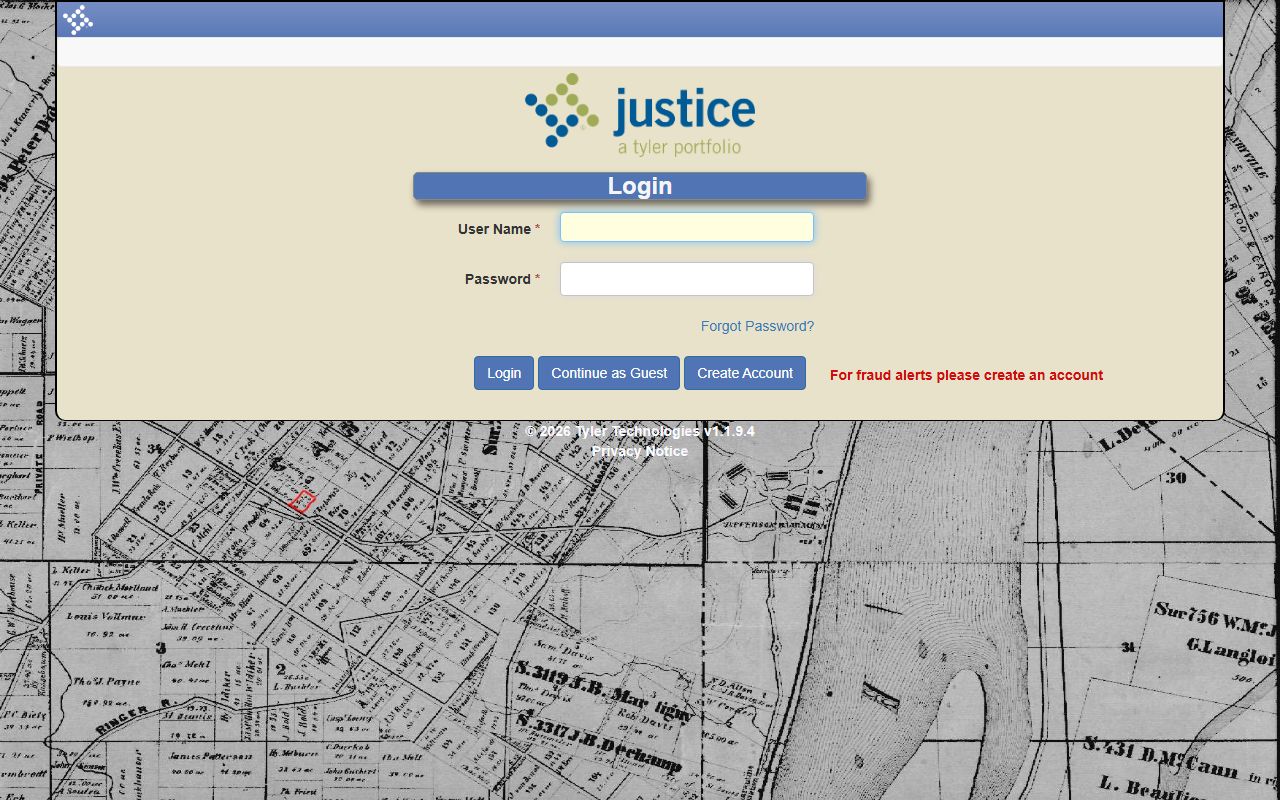
The separate real estate login helps prevent a common mistake: searching deed and plat records when the user actually needs a divorce, felony, misdemeanor, civil, or traffic court file.
Mail payment details are specific for State Court fines. The Pay Your Fine page sends mail payments to State Court of Baldwin County, P.O. Box 987, Milledgeville, GA 31059-0987, and requires cashier's check or money order with a copy of the ticket or ticket number. For certified copies or clerk-file requests by mail, the research did not locate a universal mail form or fixed payment amount, so contact the Clerk of Superior Court first at 478-445-6324. For sheriff incident, accident, booking, warrant, body-camera, in-car-camera, or CAD materials, use the sheriff's open-records or incident-report forms rather than the court clerk, because those are law-enforcement records.